

Get the contact of every abandoned WooCommerce checkout
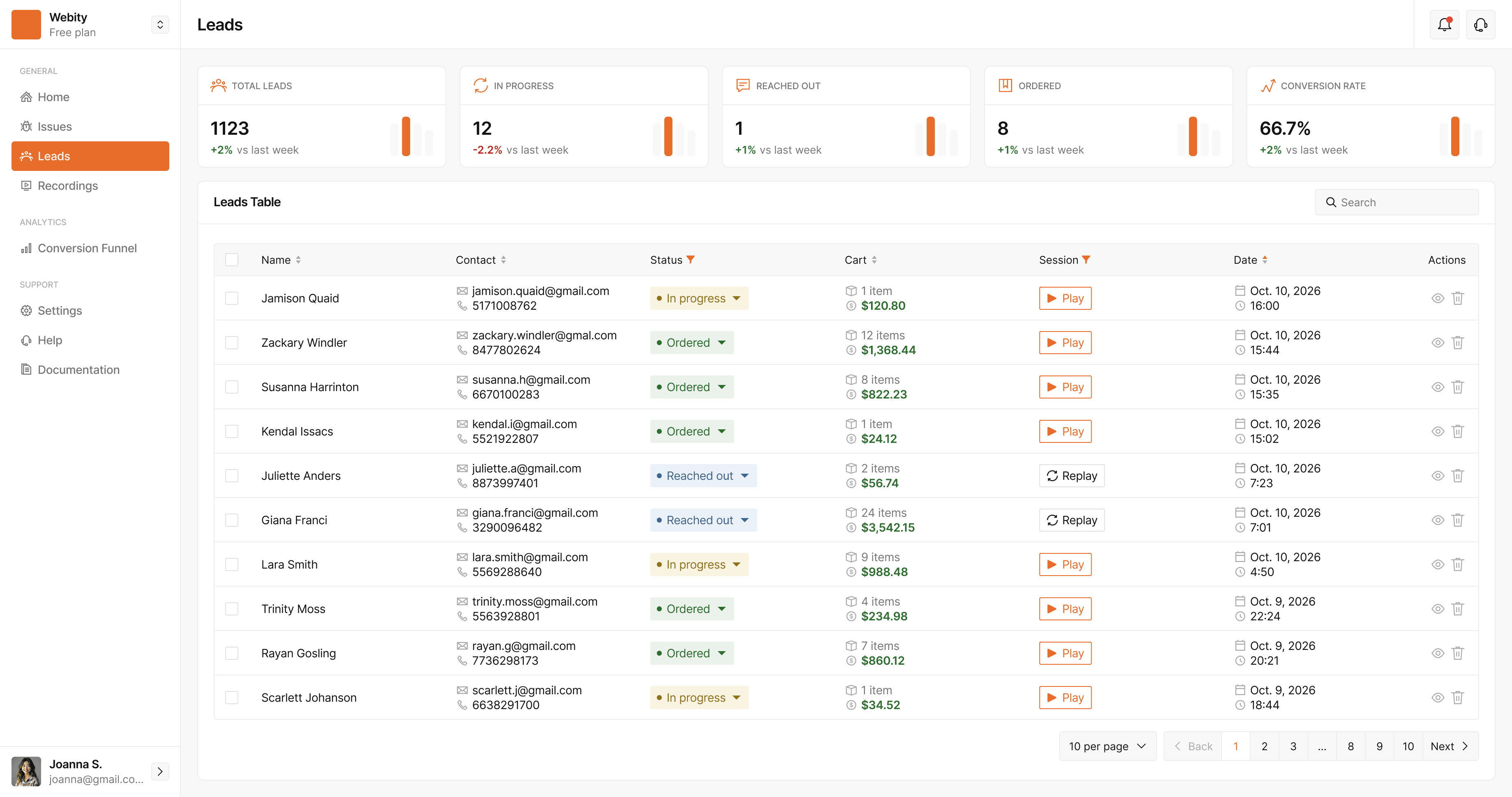
StorePilot saves the name, email, phone and cart as shoppers fill in your checkout — even if they never click Place order — so you can call, write or send an automated reminder.
Your best leads leave one click before paying
A shopper who types their phone number into your checkout wants the product. Most stores never find out who they were.
Guest checkouts vanish
Until the order is placed, WooCommerce has a cart but no one to follow up with. The shopper closes the tab and they're gone.
Payments fail quietly
A declined card or an abandoned payment step leaves an unpaid order that nobody on your team looks at.
The biggest carts go uncalled
A high-value basket is often one question away from an order — and one phone call could have answered it.
Every checkout, from the first field to a paid order
Captured as they type
First name, last name, email and phone are saved as the shopper leaves each checkout field — before any order exists.
Cart and value attached
The plugin adds the cart items and total from WooCommerce, so you know what each lead was about to buy.
Statuses that follow the order
In progress, reached out, payment pending, cancelled, ordered — updated from WooCommerce as the order moves.
One shopper, one lead
A shopper who returns within 48 hours — WooCommerce's own guest-cart window — keeps filling the same lead instead of creating duplicates.
Watch the checkout
Open the recording of every visit the checkout was filled in over, and see exactly where it stalled.
Contact forms too
Contact Form 7, WPForms and Gravity Forms submissions, plus other contact forms on your site, land in the same list.

Follow up automatically — from your own tools
Build a reminder sequence once. StorePilot works out when each step is due and hands it to your automation; your store sends the message.
- Up to five steps, each with its own delay, subject and message
- Stops as soon as the customer's order is paid
- Keeps going while payment is pending — a declined card is exactly who a reminder is for
- Skips customers who refused consent or were muted by your team
- Delivered to n8n, Make or any webhook you connect
- Each step reaches a customer once — never twice
Questions, answered
How can StorePilot capture a checkout before it's submitted?
The WordPress plugin listens as the shopper leaves each WooCommerce checkout field and saves the name, email and phone at that moment. On the server it then adds the cart items and total from WooCommerce.
Is it legal to capture checkout details before the order is placed?
It depends on where you and your customers are. Your privacy policy must say that form data is collected before checkout is completed, and in the EU you may need consent first — StorePilot can wait for your consent banner before collecting anything. Password and payment fields are never captured.
Which WooCommerce versions are supported?
Lead capture needs WooCommerce 7.0 or later, WordPress 5.9 or later and PHP 8.0 or later.
Does StorePilot send the recovery emails itself?
No — by design. StorePilot schedules each step and delivers it to your own automation (n8n, Make or any webhook), and your store sends the message. You stay the sender and keep control of the wording and the list.
What happens when a shopper comes back later?
Within 48 hours StorePilot recognises the returning shopper — by WooCommerce's own session, the email on the form or the browser — and keeps filling in the same lead, so one basket is one lead and is enrolled in recovery once.
Does it work on Shopify?
Contact details are captured on Shopify and script-only sites too. Cart contents, orders and payment statuses come from the WordPress plugin, so those are WooCommerce-only.
See what your store is losing — free
StorePilot is free during early access. Install the WordPress plugin and your first data arrives in under a minute.