
Watch what shoppers really do on your WooCommerce store
Session recordings replay real visits — clicks, scrolling, page changes and checkout steps — so you can see where shoppers hesitate, get stuck or leave. Every form field is masked.
Analytics shows that they left. Replays show why.
Numbers without a story
A checkout drop-off rate tells you something is wrong, not what. You can't fix what you can't see.
Bugs you can't reproduce
A customer says the coupon field didn't work. Without their session you're guessing at their device, browser and clicks.
Too much footage
Most visits are a quick bounce. Watching all of them isn't a plan — you need the handful that matter.
Replays built around the sale
The whole visit
Replay a shopper's visit across pages and browser tabs on one timeline, including the part where they came back later to finish.
The visits worth watching
Each recording is scored by what happened in it — length, clicks, leads, orders, errors. Empty visits are hidden by default, never ones with an error.
Rage and dead clicks
See where shoppers click three times in frustration, or click something that looks clickable and does nothing.
Straight from an error or order
Open the recording from an error, an abandoned checkout or an order, and see the visit that produced it.
Inputs masked by default
Every input, textarea and select is masked. Mark any element with data-wpel-mask, or exclude whole URLs, to keep it out of recordings.
Light on your store
Footage uploads in small segments, and nothing is sent until the visitor interacts, an error occurs or five seconds pass.
Questions, answered
Are session recordings GDPR-compliant?
StorePilot gives you what compliance needs: every form input is masked, IP addresses are anonymised, data is stored on servers in the EU, and with “Require consent” turned on nothing is recorded until your consent banner signals acceptance. Your store remains the data controller, and under GDPR recordings generally need the visitor's consent.
What is never recorded?
Values typed into any form field, cross-origin iframes, canvas content and any element you mark with data-wpel-mask. Text your pages display — like a name on an account page — is captured as shown, so mask those elements or exclude those URLs.
Will recordings slow down my store?
Recording data is sent in small segments of about a minute rather than one large upload, and a visitor who leaves within seconds without interacting uploads no footage at all.
How do I find the recordings that matter?
Recordings are scored by how much happened — duration, pages, clicks, leads, orders, errors and rage clicks — and visits that showed nothing are hidden by default, with a count and a control to show them. Visits with an error or a rage click are never hidden.
Can I watch the session behind an order or abandoned checkout?
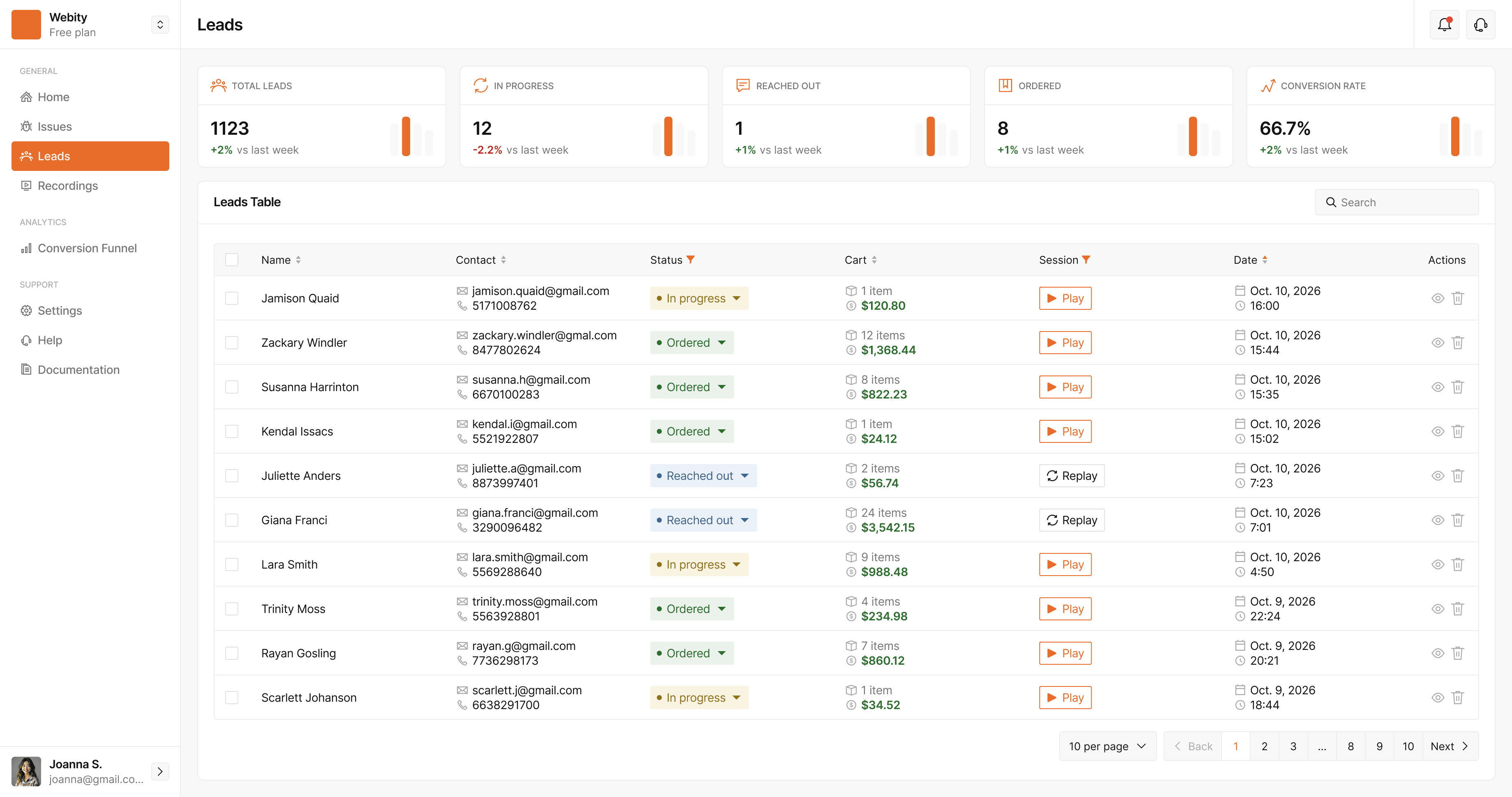
Yes. Orders and checkout leads have a Play button whenever the visit was recorded, and a checkout filled in over several visits lists each of them.
Does it work on Shopify or other platforms?
Yes. Recordings work with the WordPress plugin and with the script snippet on Shopify, Magento, Next.js or any other site.
See what your store is losing — free
StorePilot is free during early access. Install the WordPress plugin and your first data arrives in under a minute.