

See what your WooCommerce store really earns
Revenue after refunds, orders in your shop's own words, every unfinished checkout and the products nobody looks at — each one a click from the visit behind it.
An order count is not the money you kept
A store needs to know what it earned, where checkouts stall and which products pull their weight — not just how many orders arrived.
Revenue that only goes up
Most dashboards add a sale when the order arrives and never take it back, so refunds and cancellations quietly inflate the number.
Abandoned carts are a guess
WooCommerce lists unpaid orders, not who reached the checkout, what stopped them, or whether you can still reach them.
Numbers without a reason
When orders drop, a chart can't tell you whether a payment error, a slow page or a price sent shoppers away.
Revenue your shop actually kept
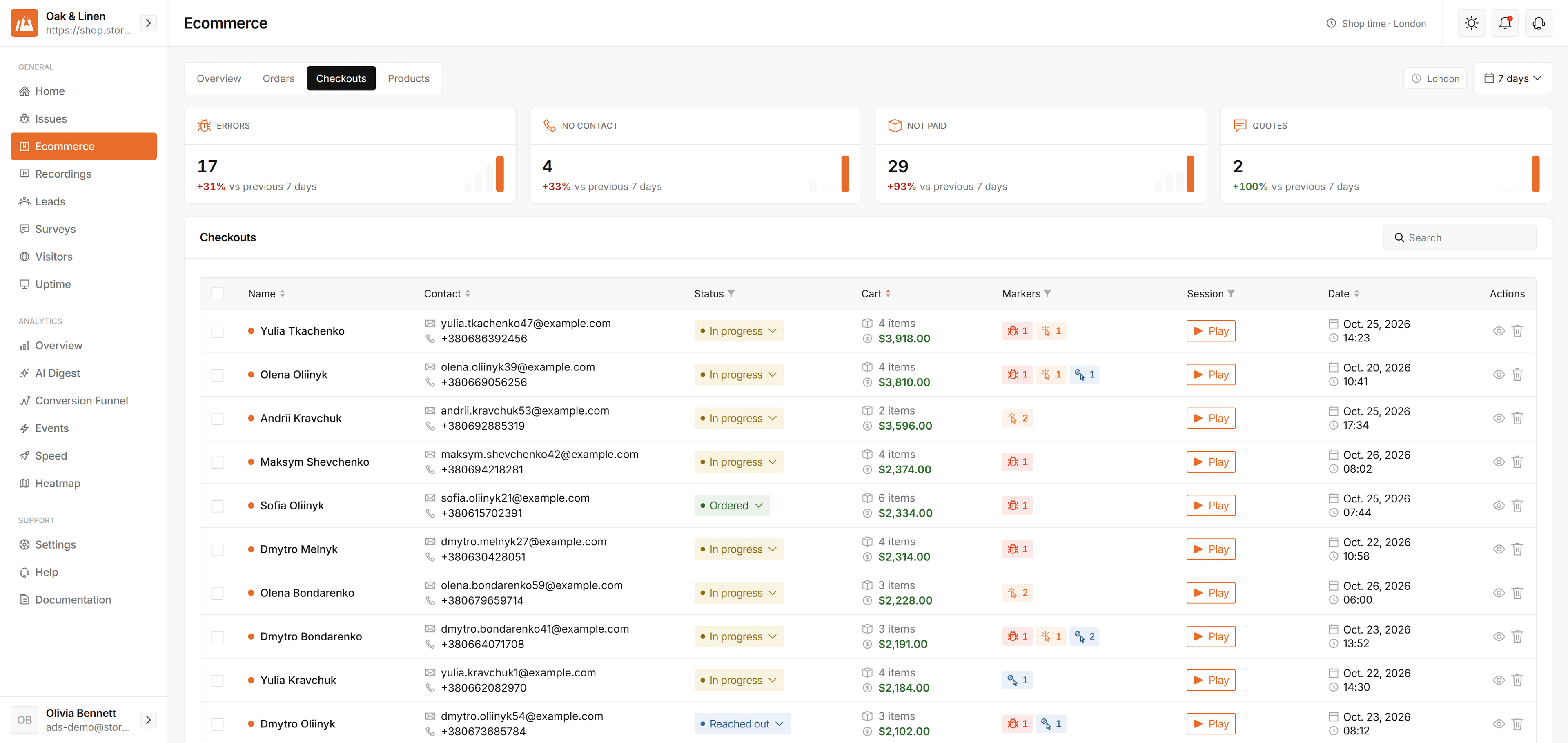
The Overview opens on how the shop did, counted the way your WooCommerce admin counts it.
- Revenue, orders and average order value for any range
- Refunds taken off revenue, never off your conversions
- Cart abandonment and the money still left in carts
- Days follow your shop's time zone, not the reader's

Every unfinished checkout, sorted by why
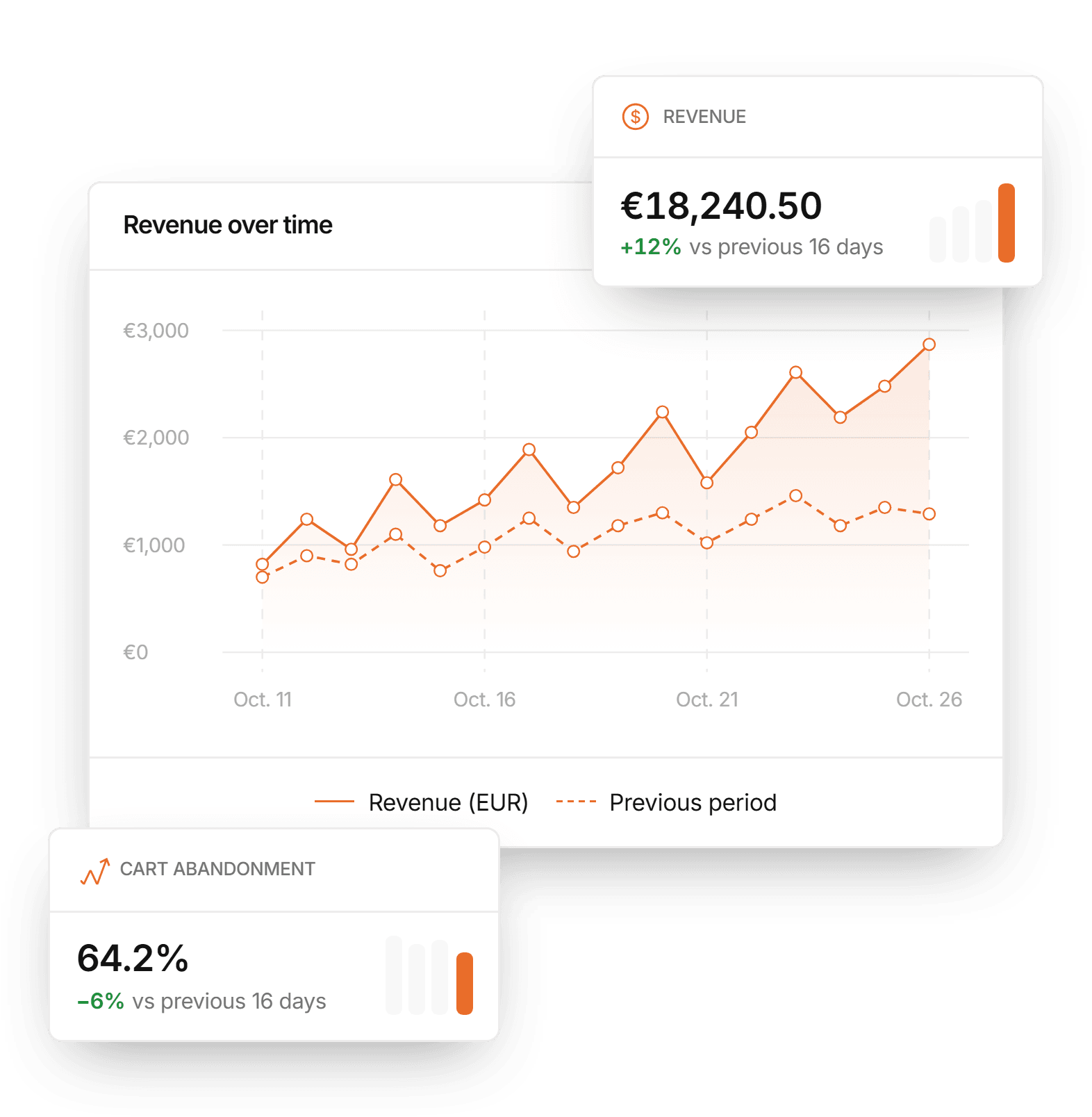
The people who reached the basket and did not buy, split by what stopped them, so you know who to call and what to fix.
- Checkouts blocked by an error, apart from those who changed their mind
- Contact details and cart value for each one
- Checkouts with no email or phone, counted on their own
- Request-a-quote checkouts kept out of abandoned carts
Orders in your shop's own words
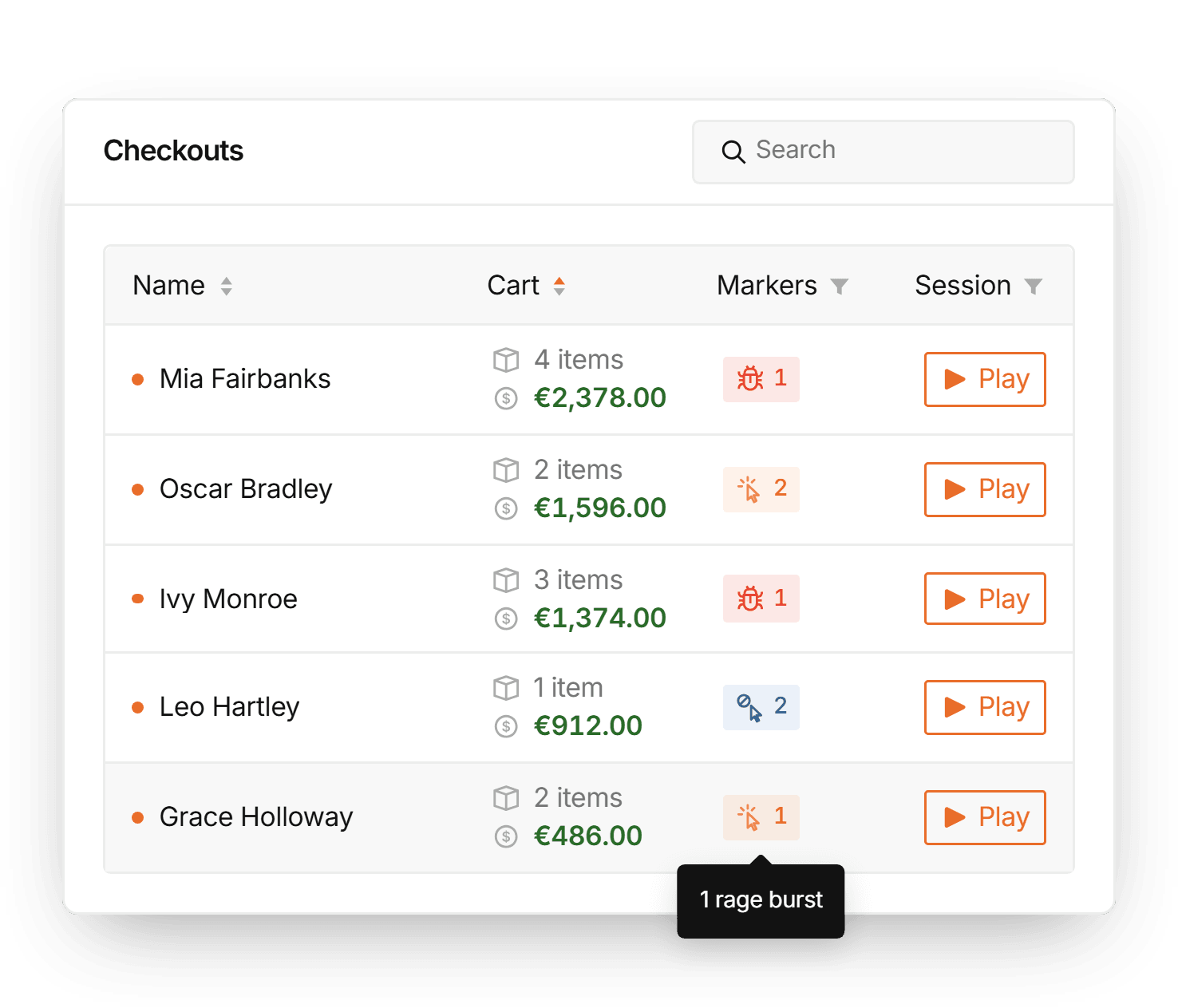
Every order with the status your shop gives it, from the moment it is placed, and the visit that produced it.
- Your WooCommerce statuses, including custom ones
- Refunded amounts beside each order's total
- Watch the recorded visit behind any order
- The same customer's other orders, checkouts and visits
Products that sell, and products nobody sees
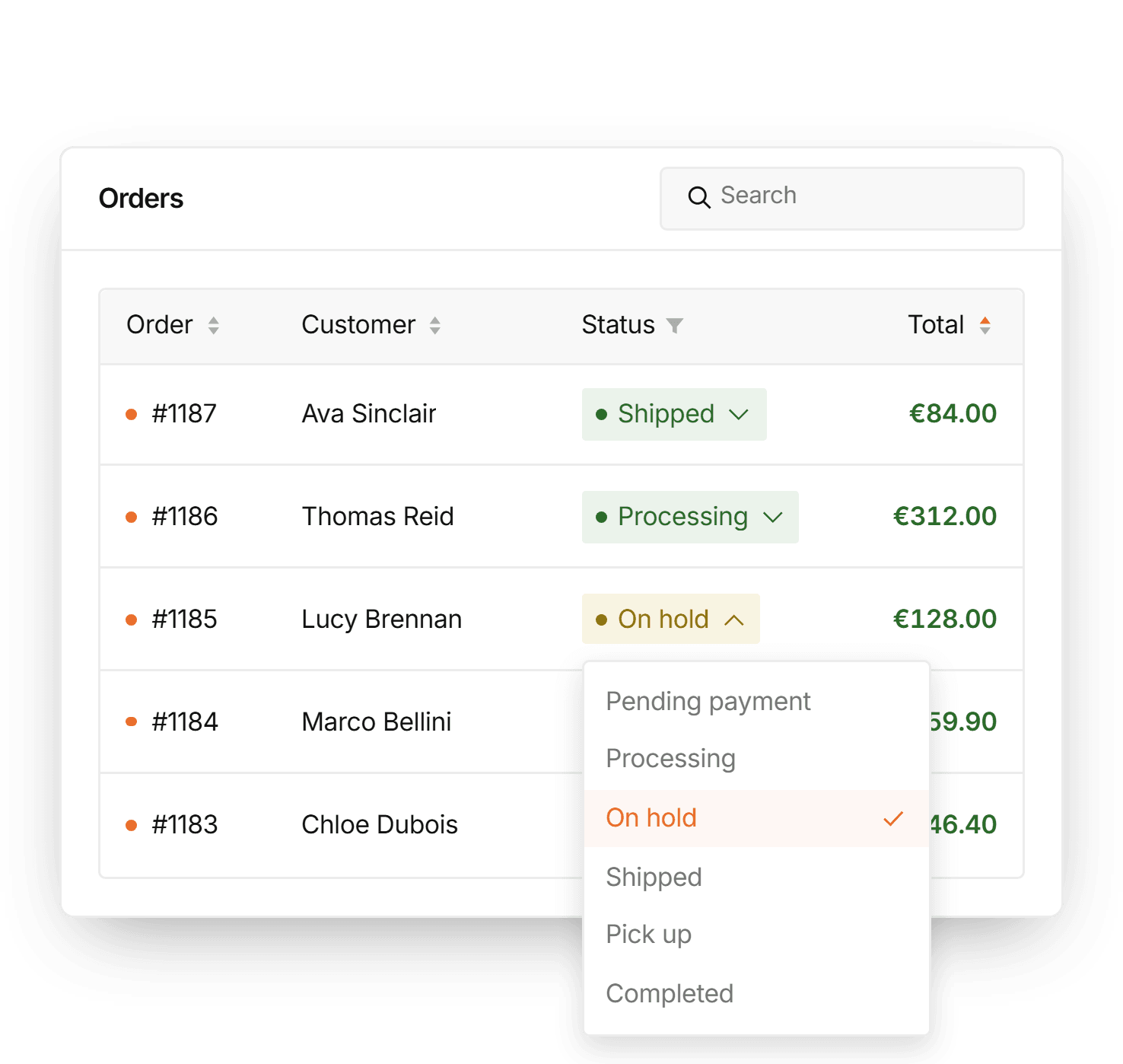
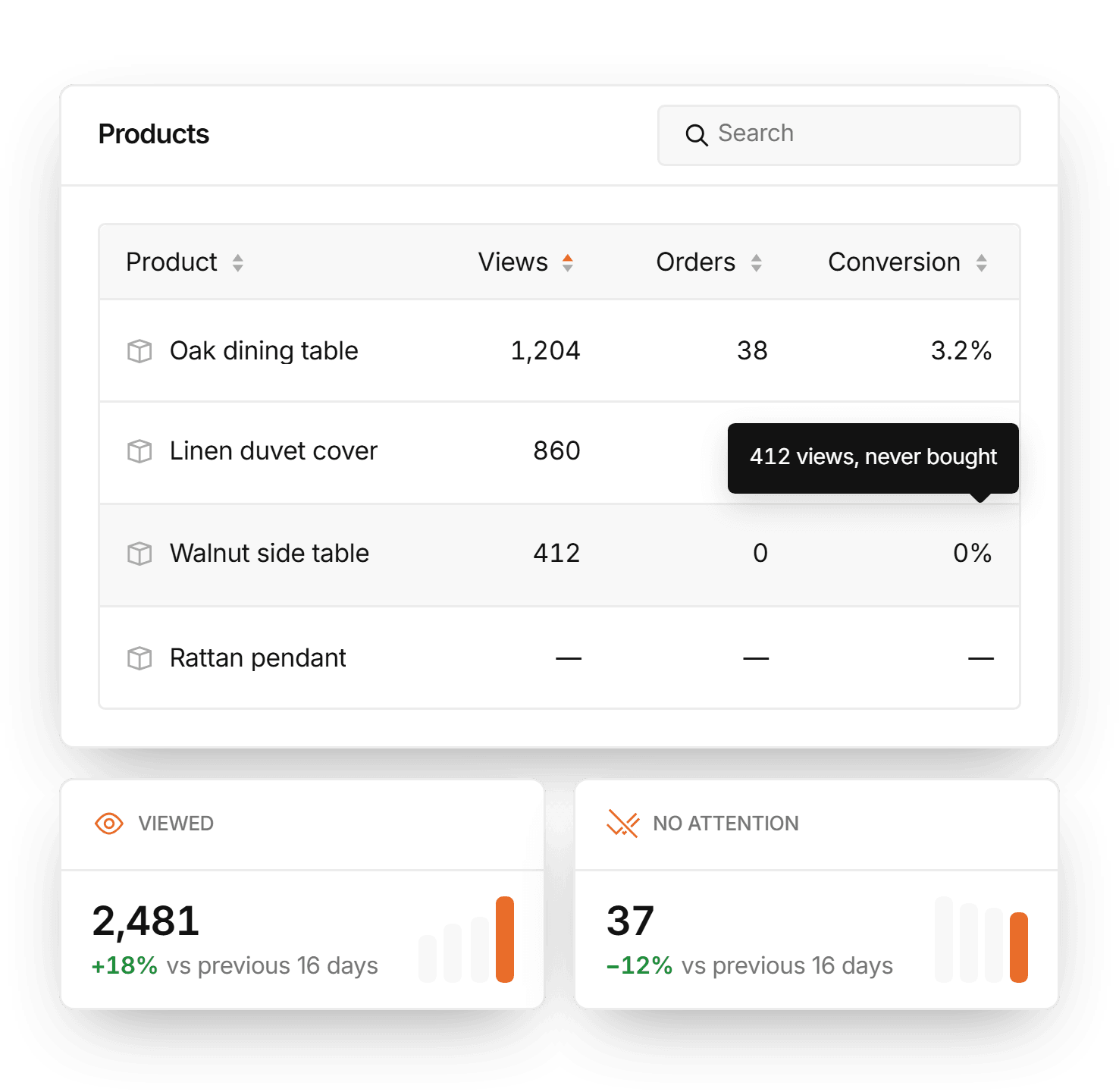
Views, orders and conversion for every product — and a count of the ones no other report would ever show you.
- Product page views against the orders that contained it
- Search by product name or SKU
- Products viewed but never bought
- Products nobody viewed or bought, counted
Everything you need to know
Where do the orders come from?
The WordPress plugin reports them server-to-server with your site's secret key. There is deliberately no way for a browser to report an order, so nobody who can read your page source can put invented revenue into your dashboard.
Does ecommerce analytics work on Shopify or other platforms?
Orders, checkouts and products need a WooCommerce store with the WordPress plugin. Sites connected with the script snippet, Shopify stores included, collect everything else — errors, recordings, leads and traffic.
Are my past orders imported?
No. Reading a shop's whole order history is expensive for the shop, so StorePilot records every order from the day the plugin is installed, through WooCommerce's own hooks, and the figures grow from that day.
Why is revenue lower than the total in my WooCommerce order list?
Revenue counts paid orders after refunds. The WooCommerce order list also shows pending, failed and quote orders on the same day — money the shop has not taken — so a sum over the whole list is larger.
Does a refund count as a lost sale?
No. A refund moves the amount, not the conversion: the checkout did convert and the shop later gave money back. The order keeps its place in your order count, and revenue shows what was kept.
Who can see what customers bought?
Products, quantities and prices are visible to admins and owners only. When a customer asks to be erased, what they bought goes with them, while the order's money stays in your revenue anonymously.
Start seeing what your store is losing
Find out why shoppers leave without buying, and get those orders back.
Start for free
Every feature on the Free plan, with 100 recorded sessions a month. No card required.
Choose a plan
Plans from €29 a month, priced by the sessions you record and the stores you connect.
One dashboard for the whole checkout
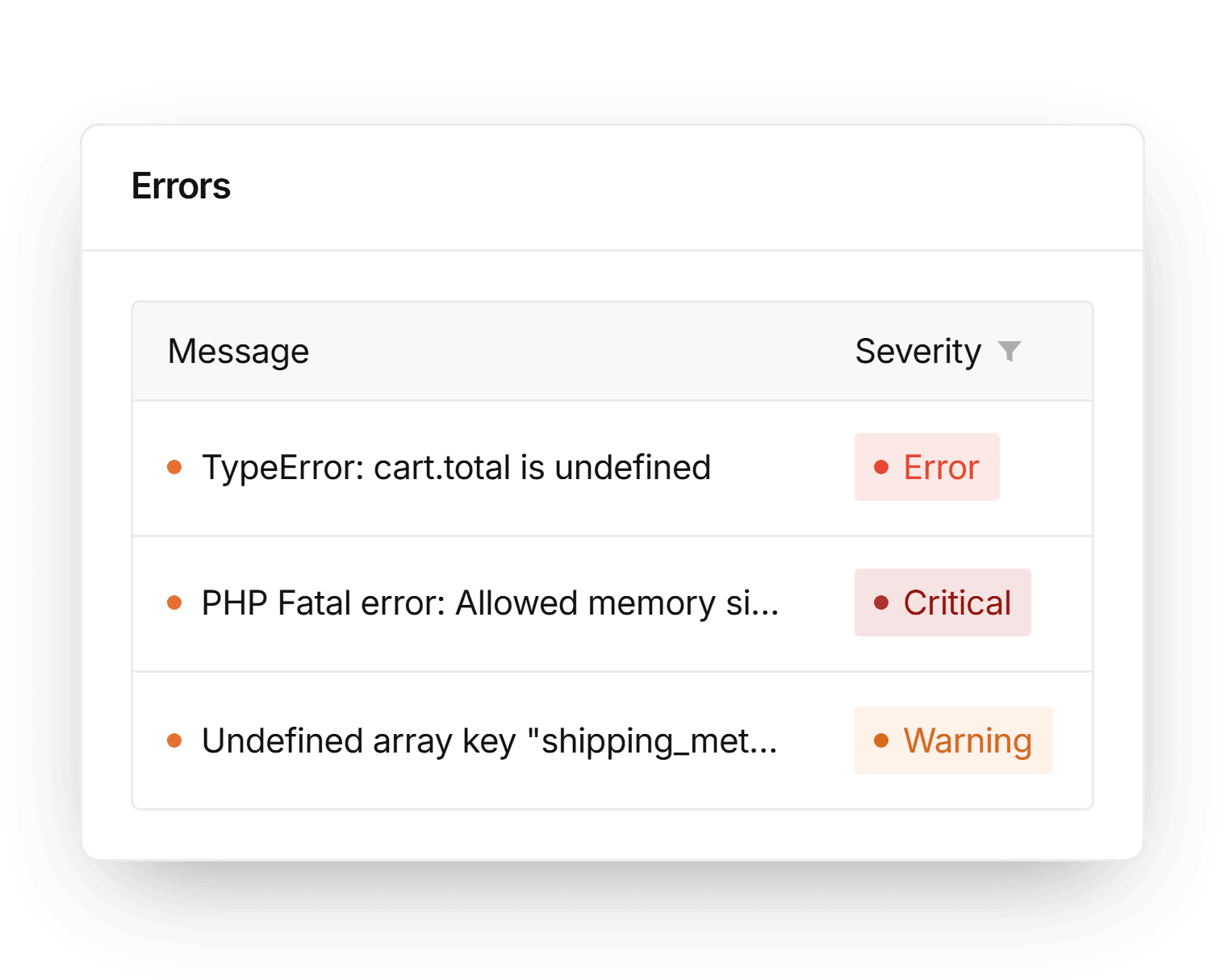
Error tracking
Catch the website errors that cost you leads and sales.
Learn more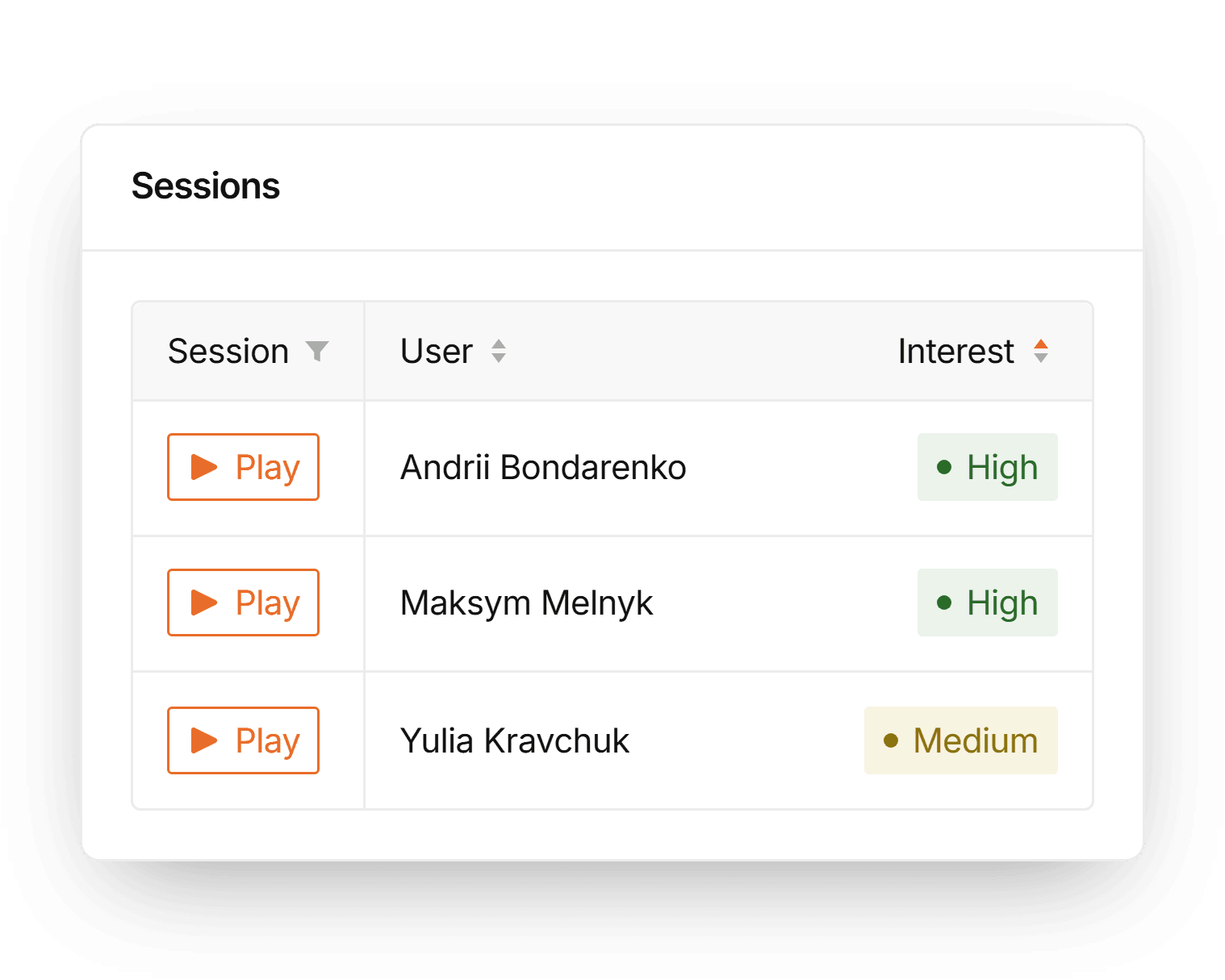
Session recordings
Watch how visitors navigate, click, hesitate and leave.
Learn more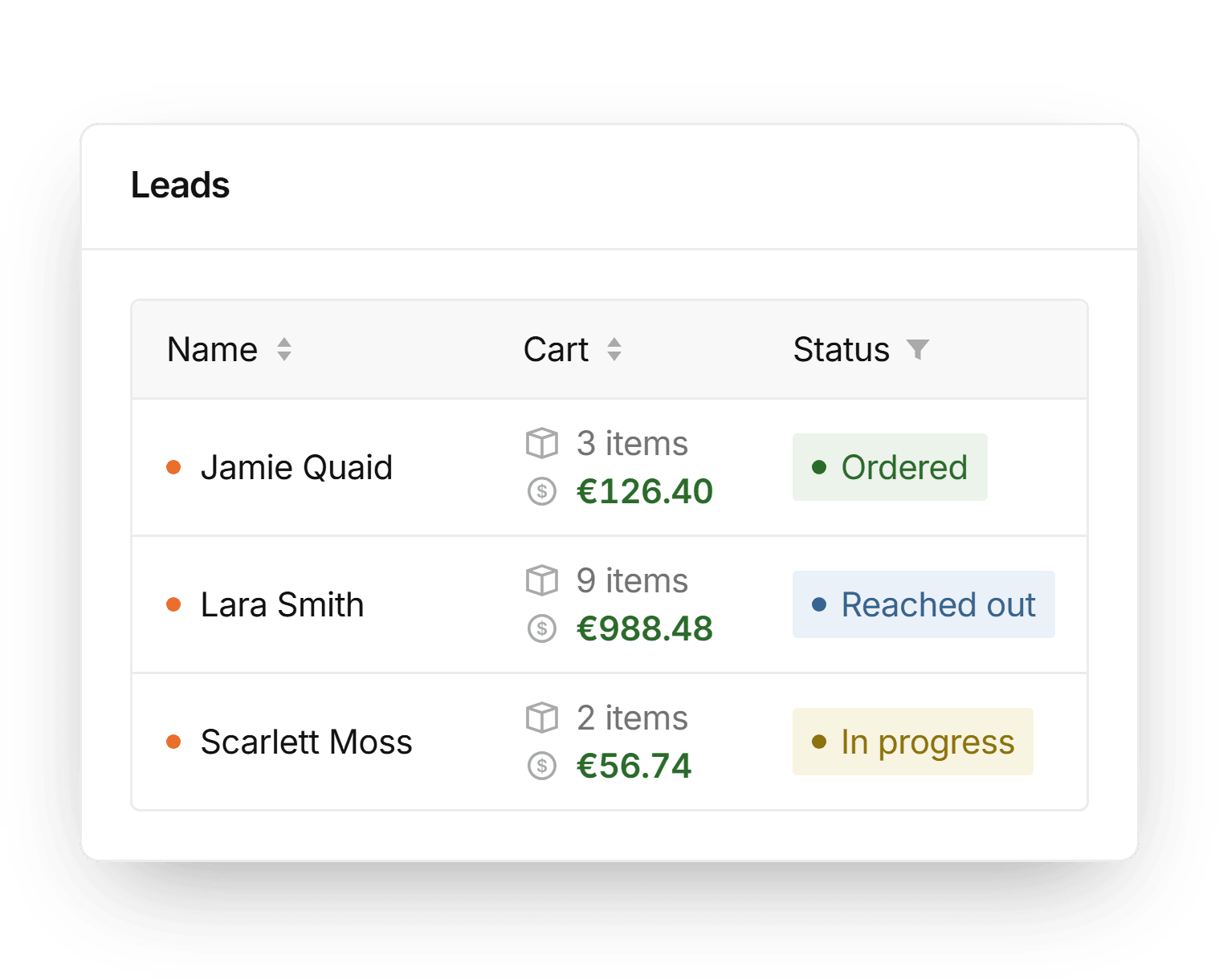
Lead tracking
See which visitors become leads and where they came from.
Learn more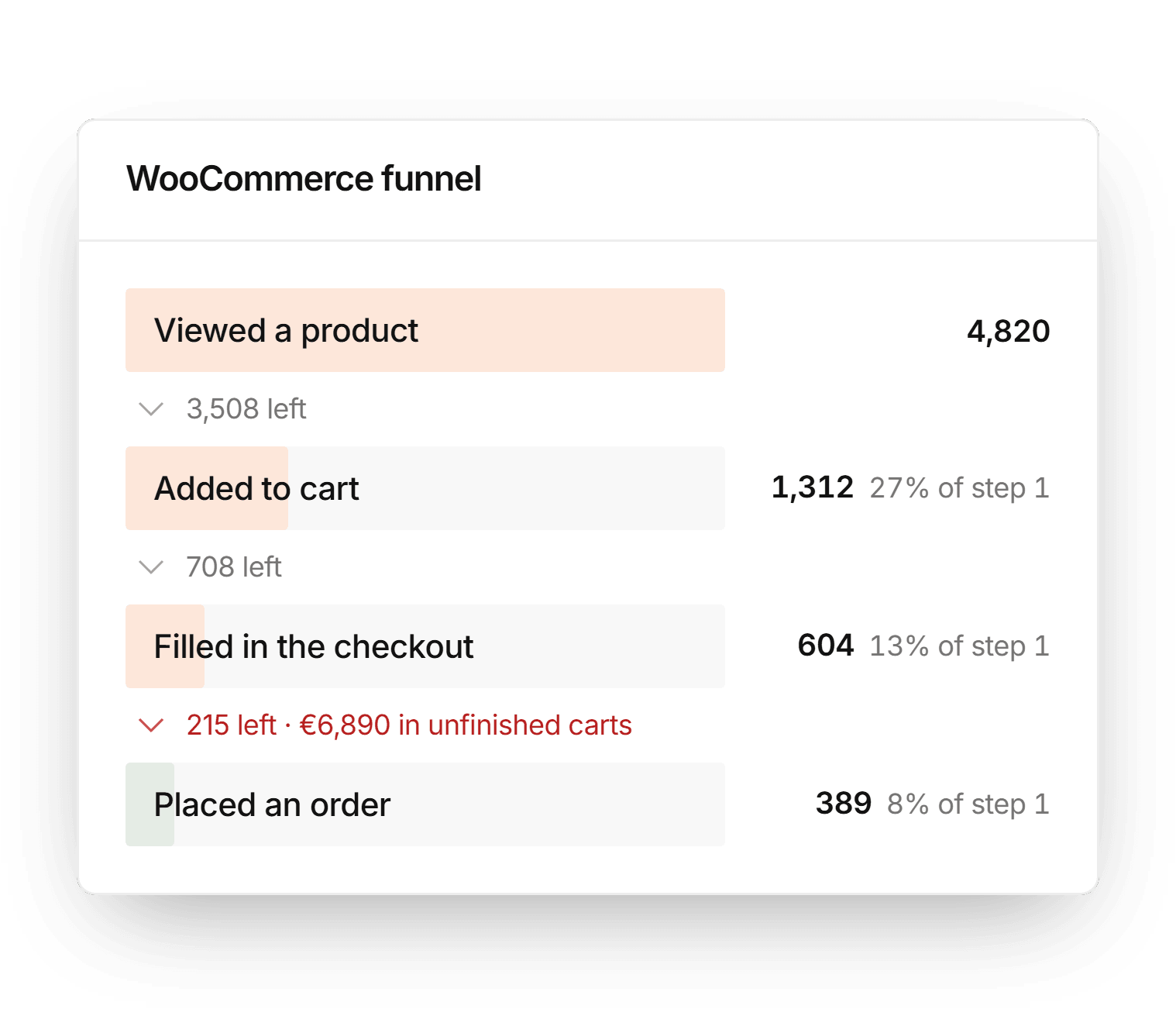
Website analytics
Traffic, pages, countries and sources in one overview.
Learn more