

One WooCommerce plugin for errors, replays and checkout leads
Install the StorePilot WordPress plugin and your store reports errors, session recordings, abandoned checkouts and orders to one dashboard — no tagging, no theme changes.
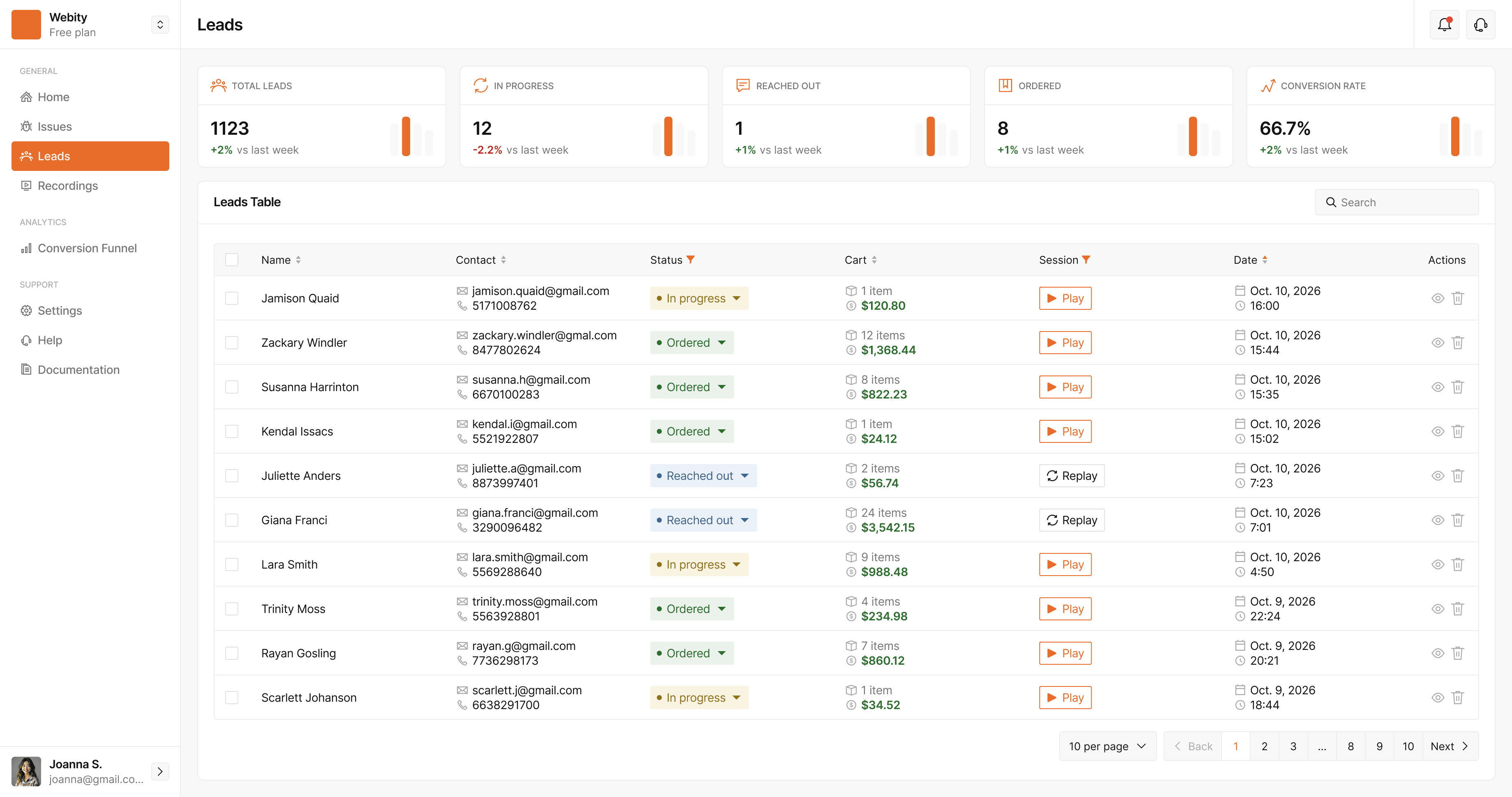
Everything that happens between product page and paid order
Each feature works on its own; together they tell you what went wrong, who it hit and what it cost.
Checkout and PHP errors
JavaScript errors in the browser and PHP errors from WordPress, grouped into issues and linked to sessions.
Session recordings
Replays of real shopper visits, with every form input masked.
Abandoned checkout leads
Name, email, phone and cart from checkouts that never became orders.
Cart recovery
Reminder sequences that stop the moment the customer pays, sent through your own tools.
Built-in WooCommerce funnel
Product → cart → checkout → order, with no configuration.
Orders and products
Revenue, average order value, cart abandonment and which products sell.
Live on your store in minutes
Requires WordPress 5.9+ and PHP 8.0+. Lead capture needs WooCommerce 7.0+.
Create your account
Sign up for free and add your store in the setup wizard.
Download the plugin
Get the StorePilot plugin .zip from the wizard or your dashboard.
Upload and activate
In WordPress, go to Plugins → Add New → Upload Plugin, then activate it.
Paste your API key
Enter it under StorePilot → Settings. Data appears in your dashboard within a minute.
What only the plugin can see
A script tag sees the browser. The plugin also sees your server — which is where orders, carts and PHP live.
Orders and revenue
Reported server-to-server with your site's secret key, so the numbers can't be faked from a browser.
PHP errors
An error handler registered early in WordPress boot catches fatals and exceptions from your theme and plugins.
Cart contents
Every checkout lead is enriched on the server with the cart items and total from WooCommerce.
Questions, answered
Where do I get the StorePilot plugin?
Create a free account, add your store, and download the plugin .zip from the setup wizard or your dashboard. Then upload it in WordPress under Plugins → Add New → Upload Plugin and activate it.
What are the requirements?
WordPress 5.9 or later and PHP 8.0 or later. Capturing checkout leads needs WooCommerce 7.0 or later.
What does the plugin change on my site?
It adds the StorePilot tracking script to your pages and listens to your existing checkout fields — it doesn't change how your theme or checkout looks. On activation it creates its own database tables and adds a small loader to wp-content/mu-plugins so it can catch PHP errors early in WordPress boot.
What happens to my customers' data?
It is stored on servers in the EU. IP addresses are always anonymised, every form input is masked in recordings, password and payment fields are never captured, and Global Privacy Control is honoured. You can require consent so nothing is collected until your cookie banner says yes. Your store is the data controller and StorePilot is the processor under a DPA.
How much does it cost?
Nothing during early access — every feature is included, with no card required. We're building StorePilot with our first stores and ask for honest feedback in return.
I also run a Shopify or custom store. Can I use StorePilot there?
Yes. Shopify, Magento, Next.js and plain HTML sites connect with a script snippet and get errors, recordings, leads, analytics and funnels. Orders, products, cart contents and PHP errors come from the WordPress plugin, so those are WooCommerce-only.
See what your store is losing — free
StorePilot is free during early access. Install the WordPress plugin and your first data arrives in under a minute.